Print design
A church meal menu, from 2–3 hours to minutes in Figma
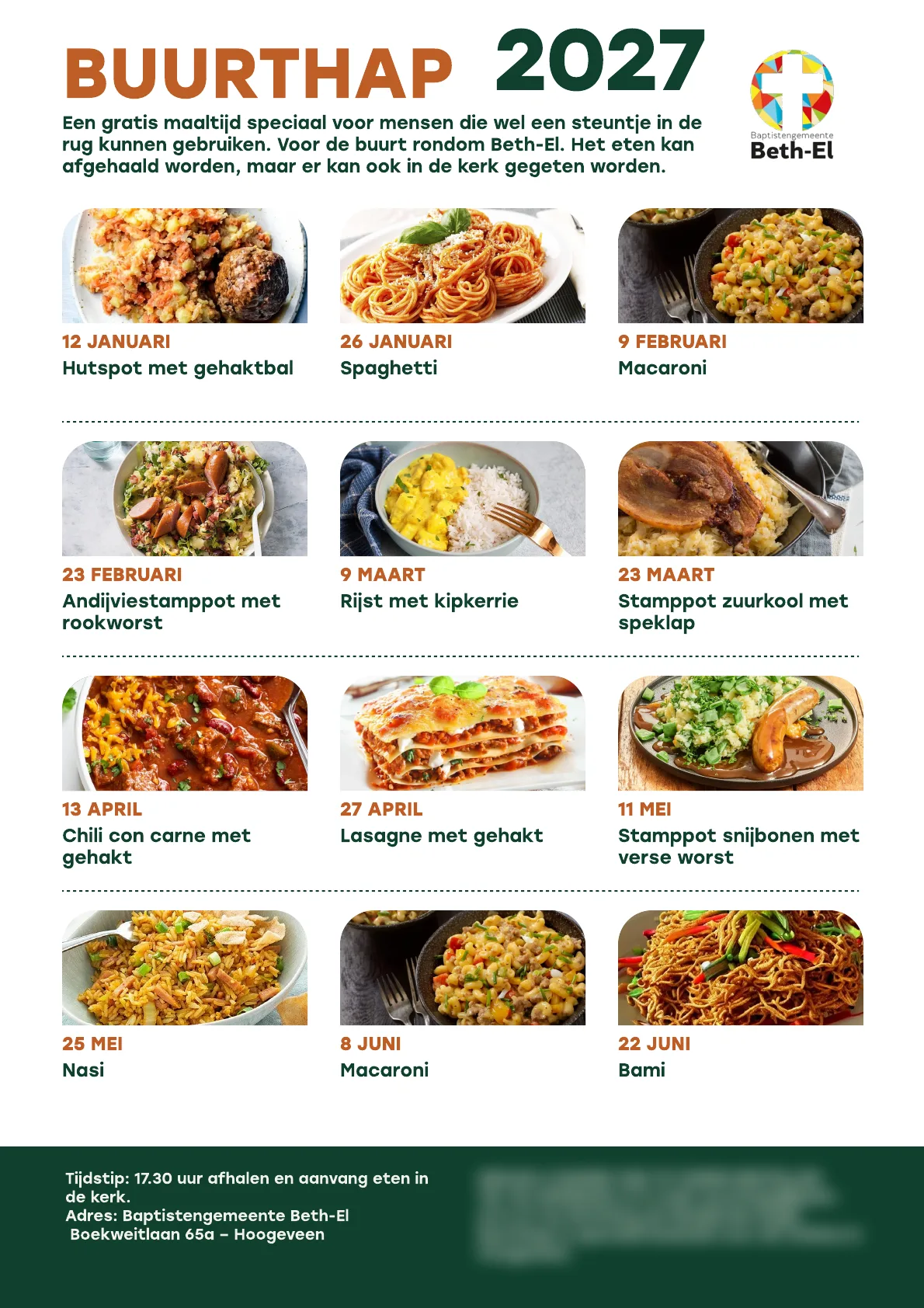
Beth-El, a Baptist church in Hoogeveen, hands out a printed menu for Buurthap, its free neighbourhood meals. In 2023 I redesigned it from a Word document into a clear A4 layout in Figma, with a photo, the date and the dish for every meal of the half-year, and I have updated it every half-year since. The first menu took 2–3 hours, a component library of 23 dish cards brought an update down to about 10 minutes, and with Claude connected to Figma the two menus for 2027 were assembled in a couple of minutes.
2–3 h → minutes per menu, from the first design to Claude connected to Figma
Since 2023 a new A4 menu every half-year, plus changes mid-year
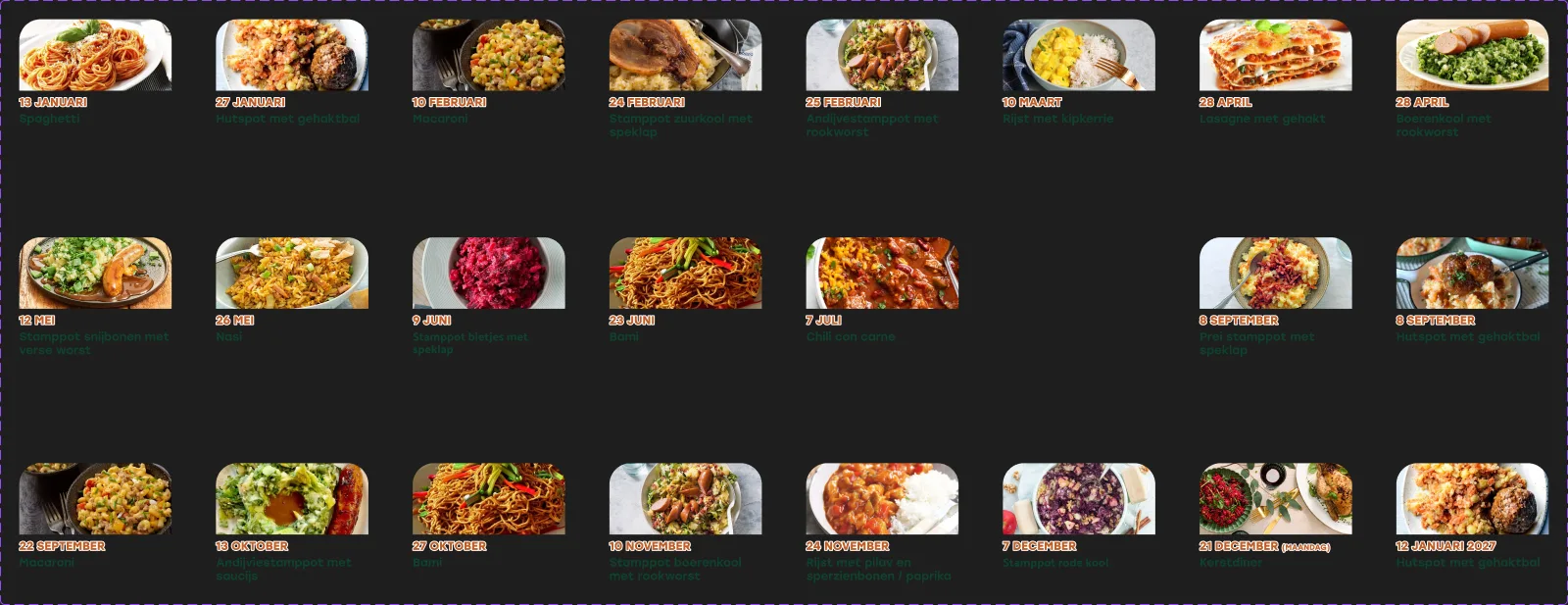
23 dish cards in a Figma component library
2–3 days → 1 day from idea to edits to sending the menu to print
The task
In my first year in the Netherlands I went to Beth-El, a Baptist church in Hoogeveen, to meet people. A church member asked me to design the menu for Buurthap, the church’s free meal for people in the neighbourhood who could use some support. You can take the food home or eat it in the church.
The menu was a Word document. The goal was a modern design with typography that is easy for every reader, printed and handed out for each half-year. The menu hangs in the church and in places where people who need support come. The meal dates shift every half-year, so the menu needs a new version each time. I said yes, and I have made it every year since, with changes in the middle of the year when the church asks.
From a poster to one A4 for the half-year
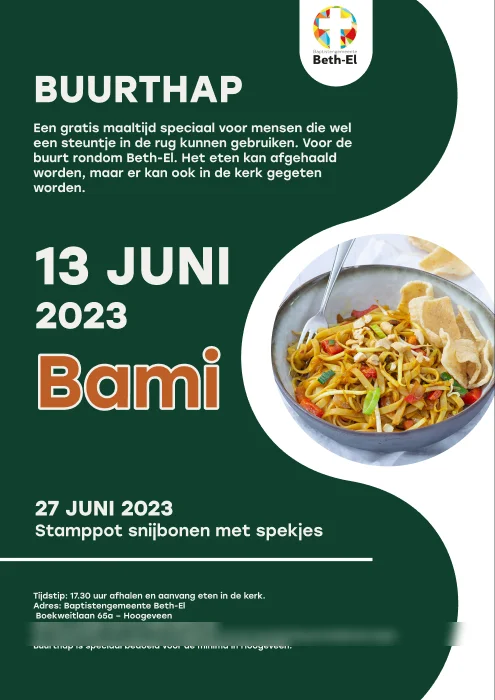
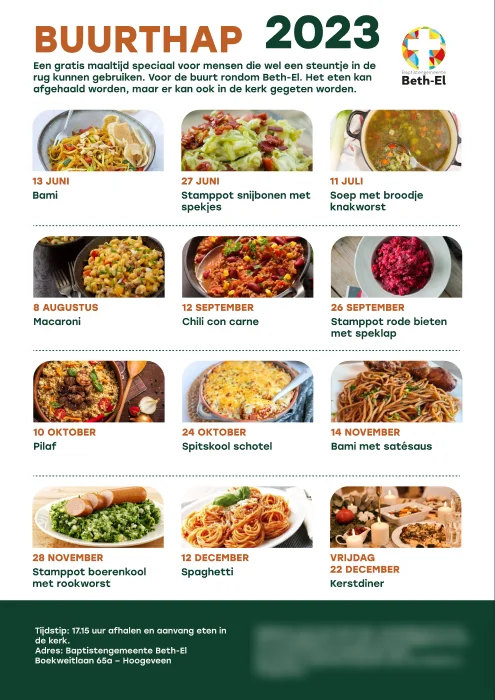
My first design in June 2023 was a poster for one meal, with the next date below it. It quickly became one A4 sheet with every meal of the half-year, so one sheet covers six months.
Design decisions
- Figma instead of InDesign: for a one-page menu InDesign felt too heavy. The client sees the work live in Figma and leaves notes right in the file.
- Readable at a glance: Stolzl in a bold title, the date in orange capitals, the dish in dark green, and a photo for every meal.
- One block for the practical part: time, address and how to order sit in a dark green footer, the same on every version.
- The same palette and the church logo on every version since 2023, so people recognise the menu.
Components, then Claude
Once the design was stable, an update was mostly new dates and dishes, about 30 minutes of work. I built every dish as a card in a Figma component (photo, date, dish name) with a variant per dish. There are 23 now, and a new menu is assembled from them in about 10 minutes.
In November 2026 I connected Claude to Figma, gave it the task with the dates and dishes, and it assembled both menus for 2027 in a couple of minutes, on my layout and my components.
Other print work for the church
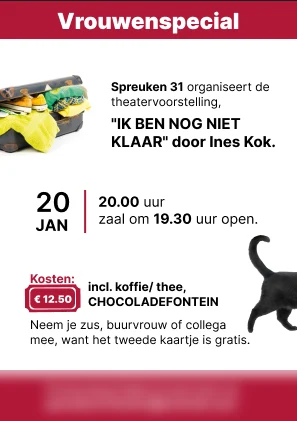
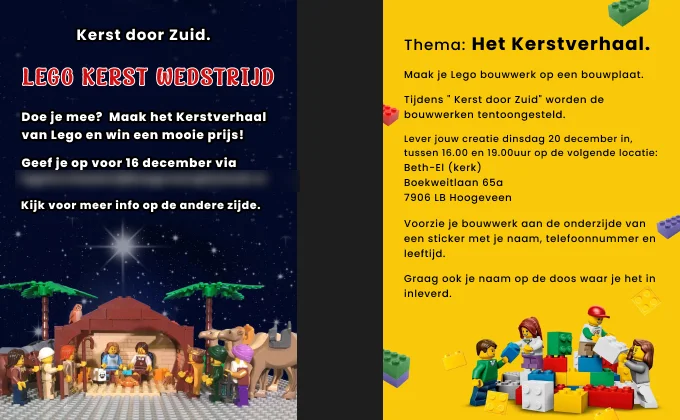
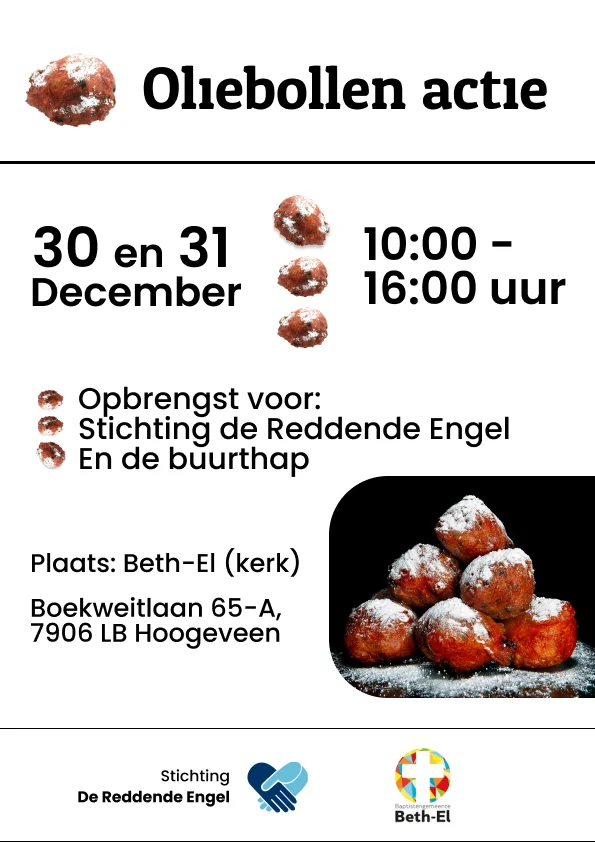
In the same Figma file I made other print pieces for the church community: the back of a flyer for a women’s theatre evening, a Lego Christmas contest, invitations for an interchurch women’s Bible study, an oliebollen sale and a spring concert of a gospel choir.
Result
- A new A4 menu every half-year since 2023, up to the two menus for 2027, plus changes mid-year.
- 2–3 hours for the first menu, about 10 minutes with components, a couple of minutes with Claude connected to Figma.
- From idea to print in one day instead of 2–3.
Tools
FAQ
How long does a new menu take now?
The first menu took 2–3 hours of design. While the design stayed the same, the next updates took about 30 minutes, and after I built the dish cards as Figma components, about 10 minutes. Now Claude, connected to Figma, assembles the menu from the list of dates and dishes in a couple of minutes. From idea to edits to print it used to take 2–3 days; now it takes one day.
Why Figma and not Adobe InDesign?
I had worked with InDesign, but for a one-page menu it felt too heavy. The client needed to see the work live and leave notes right in the file, and Figma gives both without sending files back and forth. The print PDF is exported straight from Figma.
How did you work with the church when you did not speak Dutch yet?
It was my first year in the Netherlands, my Dutch was not there yet and my English was still weak. We worked mostly online, so I could translate every message calmly, make the changes and show them in the shared Figma file. Notes in the file stayed in writing, so I could always go back to them.
What does Claude do, and what stays with me?
The layout, the typography and the 23 dish cards are my design. I connected Claude to Figma and gave it the task, the dates and dishes for the half-year, and it placed the right cards in the grid of my menu. That is how the two menus for 2027 were assembled in a couple of minutes.
Why does the menu need a new version every half-year?
The meal dates shift every half-year, and sometimes a dish changes in the middle of the year. The layout stays the same, so a new version means new dates and dishes, not a new design. That is why I turned the dishes into components, and later handed the assembly to Claude.
What happens when a date or a dish changes in the middle of the year?
Each dish is a variant of one component, so a change means swapping the card and its date, not redrawing the page. The updated PDF can go to print the same day.
How is the menu made easy to read?
One A4 covers a half-year in a grid of three columns. Every meal has a photo, the date in orange capitals and the dish in dark green, so the date and the meal are found at a glance and people recognise the dish before they read it. Time, address and how to order sit in one dark green block at the bottom.
Do you redo the same menu, schedule or flyer every year? Get in touch and I'll turn it into a template that takes minutes instead of hours.